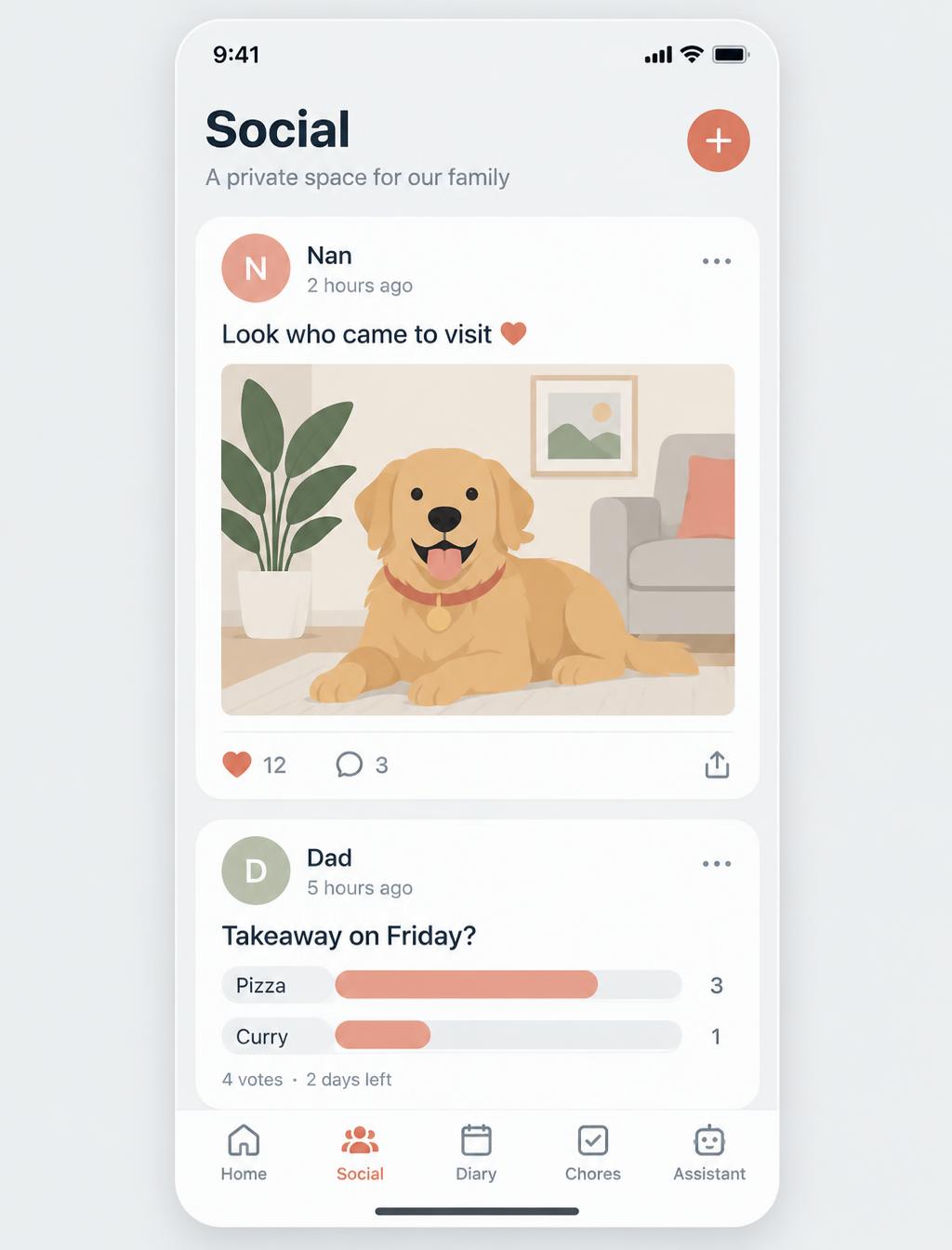
The family organiser app

Stop running your family from five different apps.

Rookly puts your calendar, bills, shopping and paperwork in one shared app, so everyone at home knows what is happening.

  • One family calendar that syncs from Google and Outlook
  • Bills and budgets everyone can see
  • Snap the cupboard and get a shopping list

30 days of Pro free. No card needed.

  • Private by default
  • No adverts, ever
  • Built in the UK
  • Your data is never sold
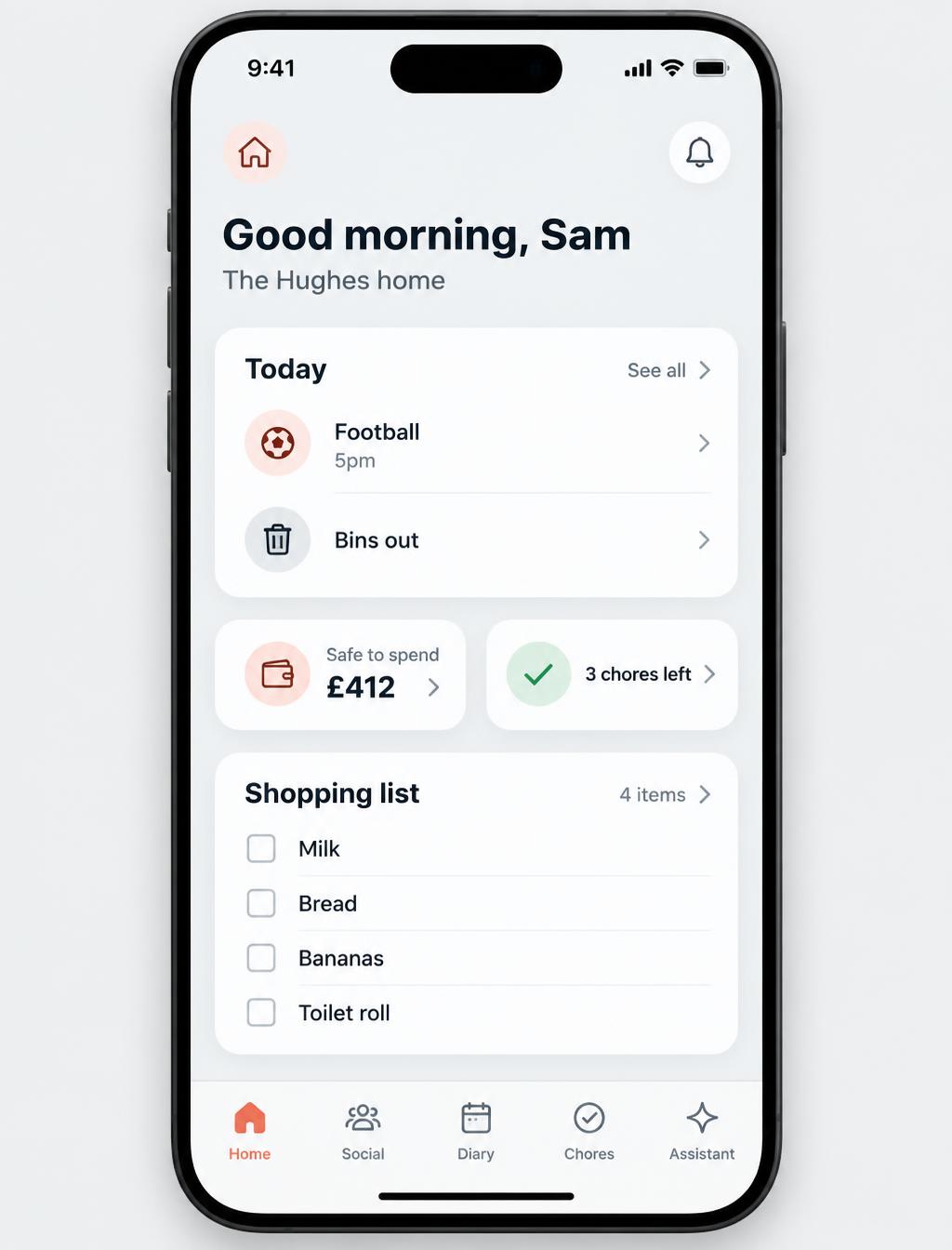
The Rookly home screen on a phone, showing today's chores, the pet schedule, money left this month and the next bill
Sound familiar?

The mental load, sorted.

“Was that bill paid?”

Every bill, who owes what and when it is due, in one place.

“Hang on, we're double-booked.”

Everyone's calendars in one shared week, colour-coded per person.

“We forgot the milk again.”

One live shopping list. Anyone adds, anyone ticks.

“Where's the passport?”

Documents and passwords kept safe in the encrypted Vault.

Run your home

Bills, calendars, documents, groceries. All in one place.

Everything your home needs, built in and shared with everyone who lives there.
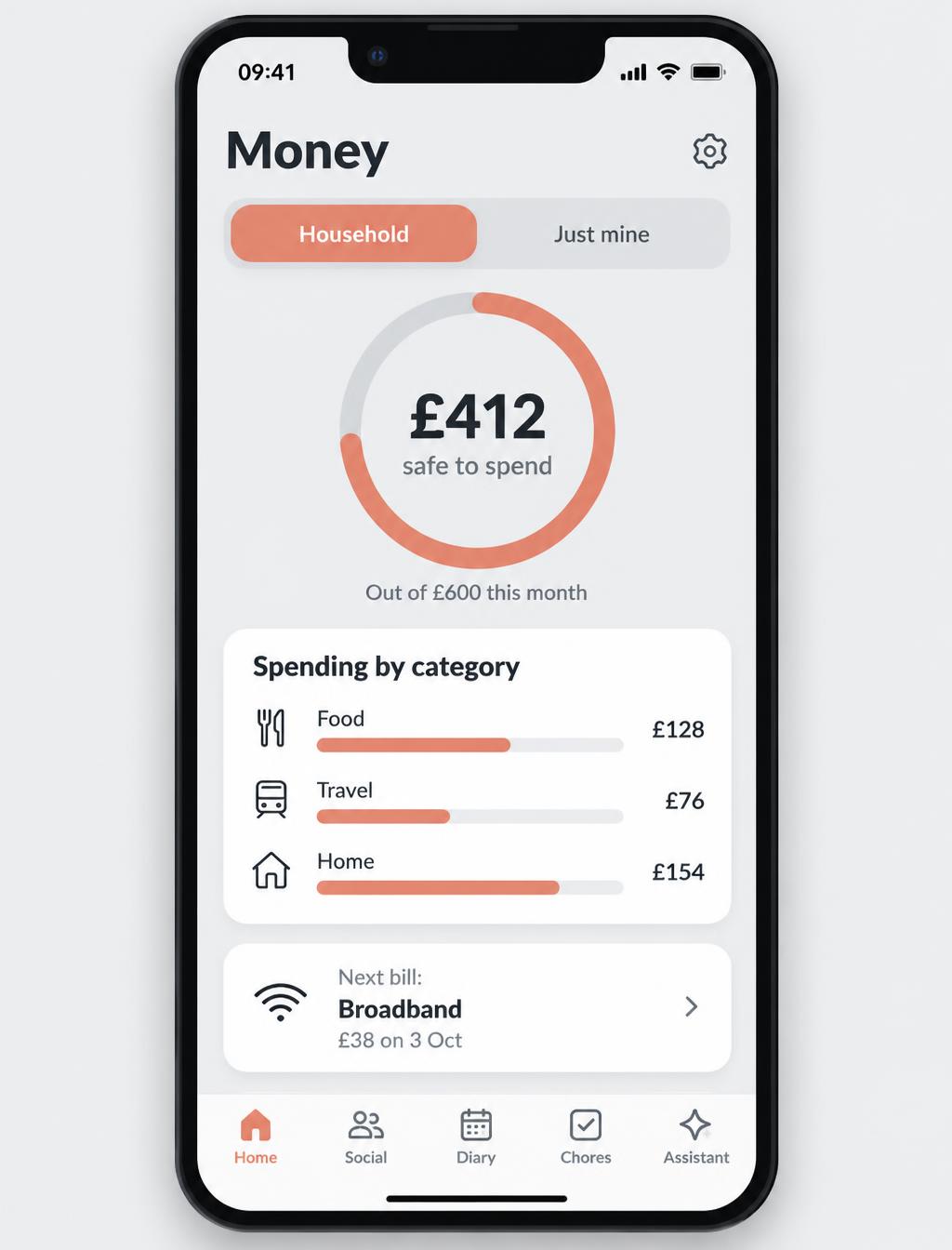
Illustration of the Rookly money screen on a phone, showing a budget ring, safe to spend amount, category bars and the next bill
  1. 1Add your bills and mark each one yours, theirs or joint.
  2. 2Set a monthly budget and Rookly works out what is safe to spend.
  3. 3Everyone sees what is left and when the next bill is due.
Start your home free
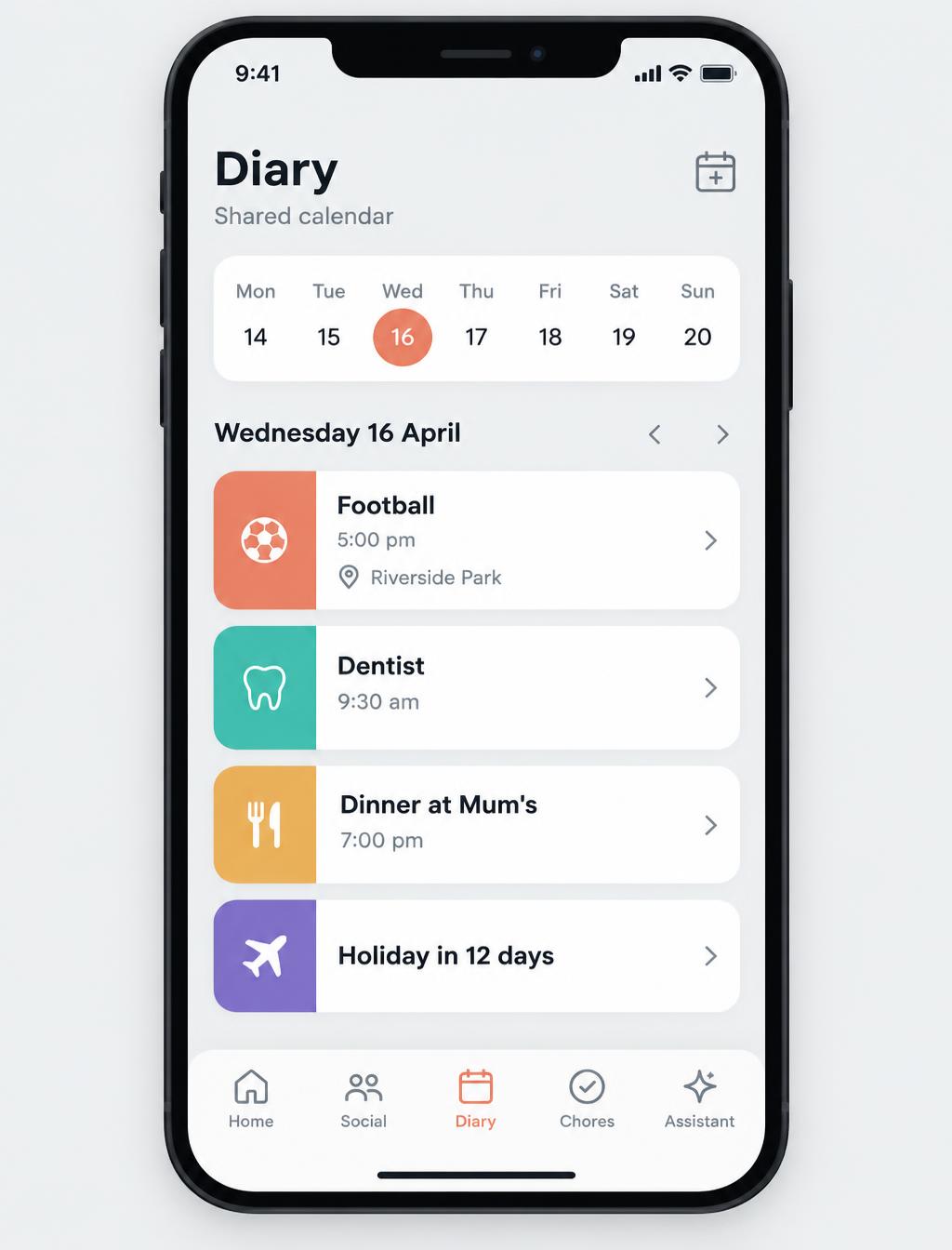
Illustration of the Rookly shared calendar on a phone, showing a colour-coded week and a holiday countdown
  1. 1Connect Google or Outlook and your events come in by themselves.
  2. 2One shared week, colour-coded per person.
  3. 3Nudges before weekends and busy days, so nothing gets missed.
Start your home free
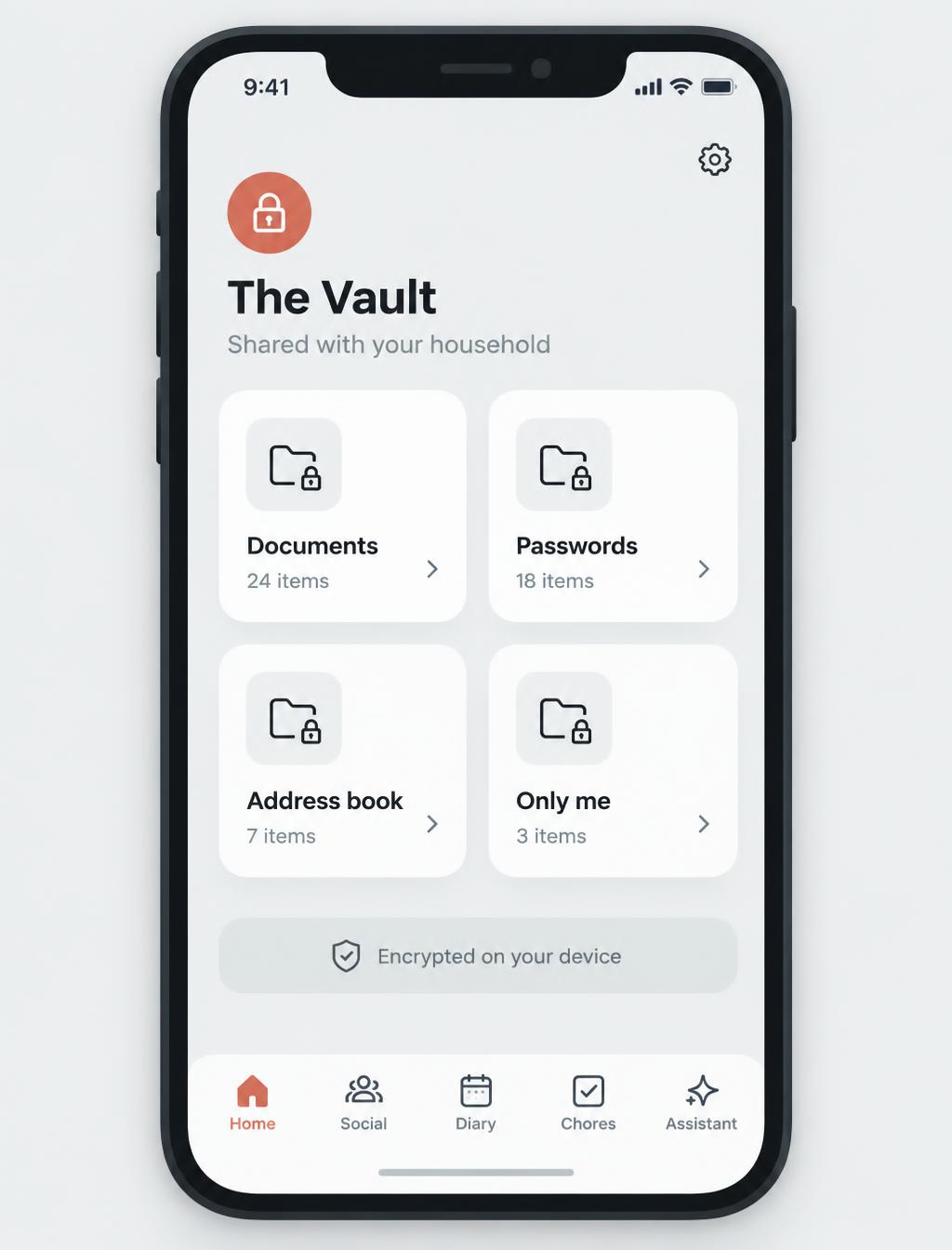
Illustration of the Rookly Vault on a phone, showing locked folders for documents, passwords, the address book and an only me space
  1. 1Pick a passphrase that only your household knows.
  2. 2Add documents, passwords and passports.
  3. 3Everything is encrypted on your device before it leaves it. Even we cannot read it.
Start your home free
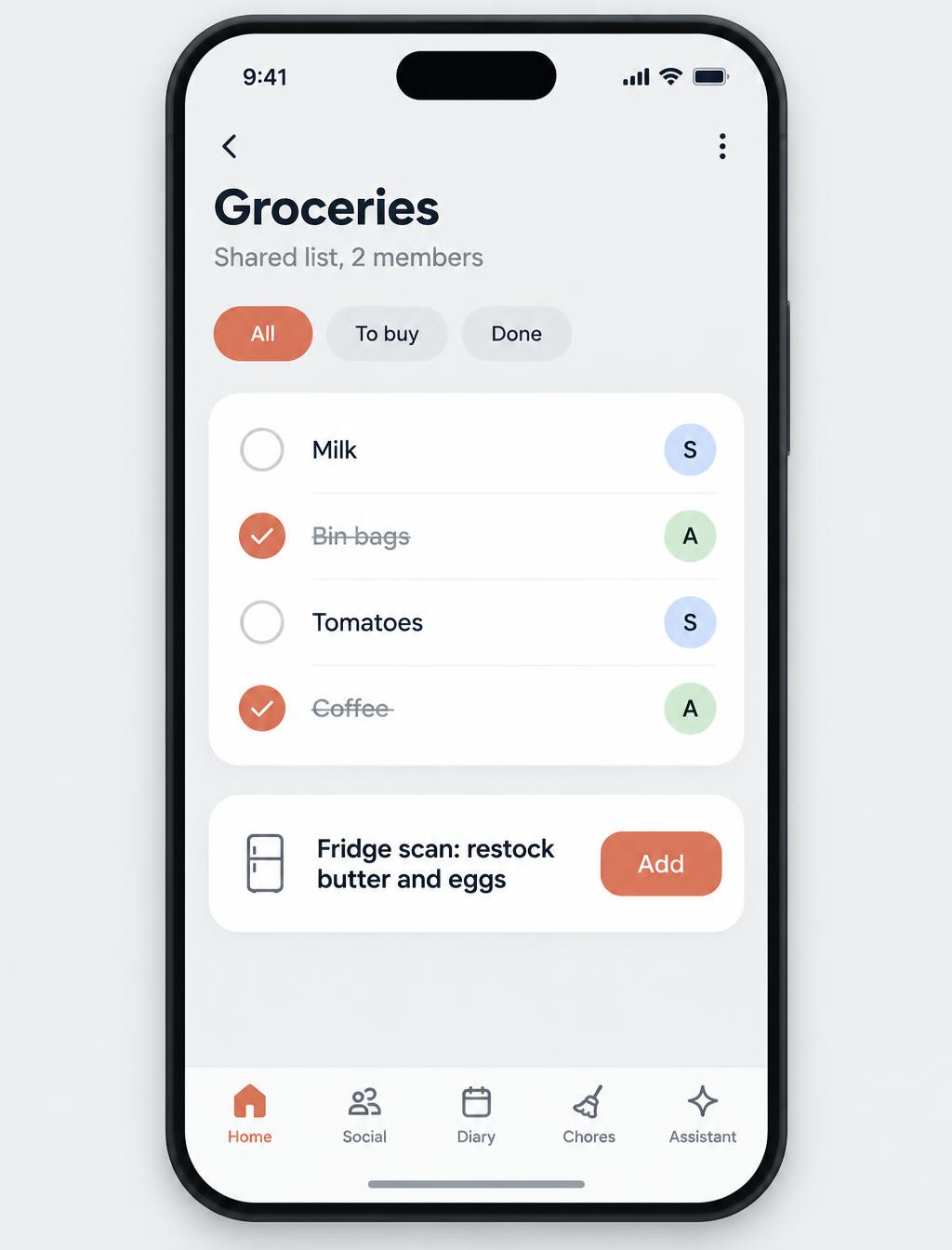
Illustration of the Rookly groceries screen on a phone, showing a shared live shopping list and a fridge scan suggestion
  1. 1One shared list that updates live as anyone adds or ticks.
  2. 2Photograph the fridge or cupboard and Rookly suggests what to buy.
  3. 3Ask what you can cook. Anything missing goes on the list.
Start your home free

Pets

Feeding times, vet notes and reminders, so the cat never gets two breakfasts.

Medicines

A reminder for every dose, and a nudge before refills run out.
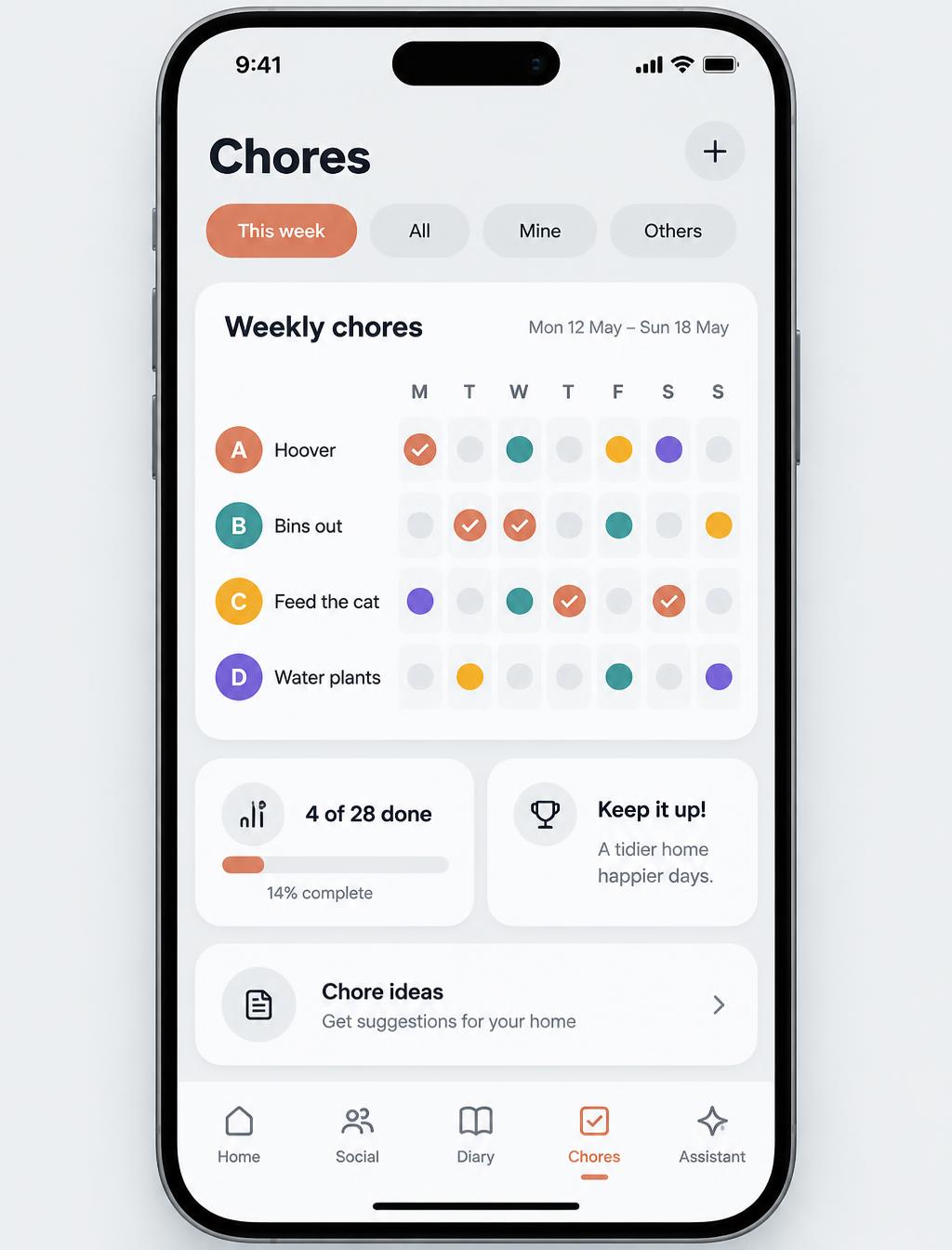
Illustration of the Rookly chores screen on a phone, showing a weekly tick-off grid with a colour per person
  1. 1Add the regular jobs once: bins, hoovering, feeding the cat.
  2. 2Each person sees their colour on the weekly grid.
  3. 3Tick it off and the whole home sees it is done. No more chasing.
Start your home free

Household chat

Private chat for your home, with a daily question to keep everyone talking.
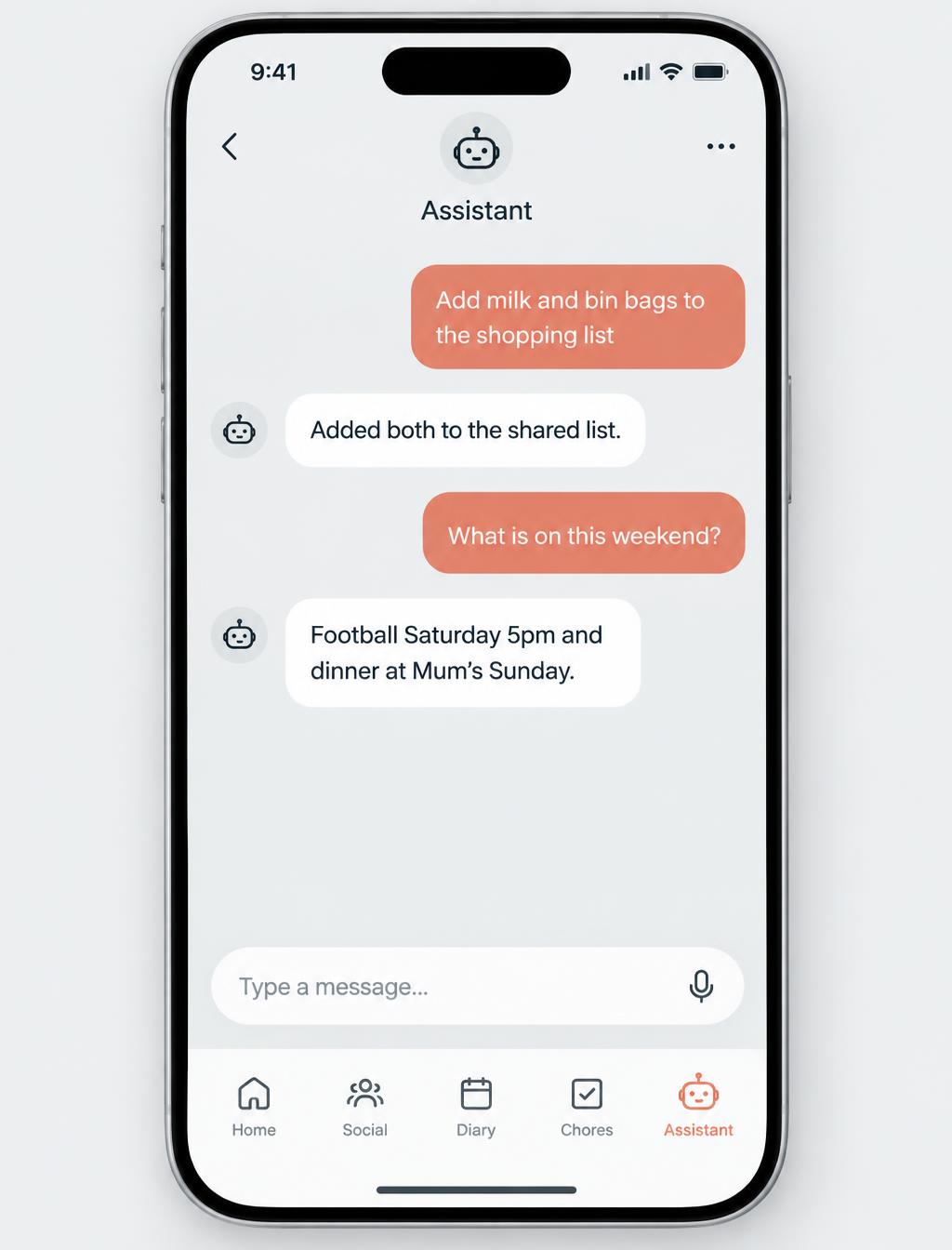
Illustration of a chat with the Rookly assistant, adding milk and bin bags to the shopping list and answering what is on this weekend
  1. 1Message it like a person, by typing or by voice.
  2. 2It knows your household and calls people by name.
  3. 3It adds to lists, sets reminders, plans the week and files documents.
Start your home free
Illustration of two phones linked between two houses, each showing the private Rookly family feed with posts, photos and a poll
  1. 1Post photos, videos, polls and plans to your private feed.
  2. 2Link with other households so they can share back.
  3. 3Children only see and speak to households you have approved.
Start your home free
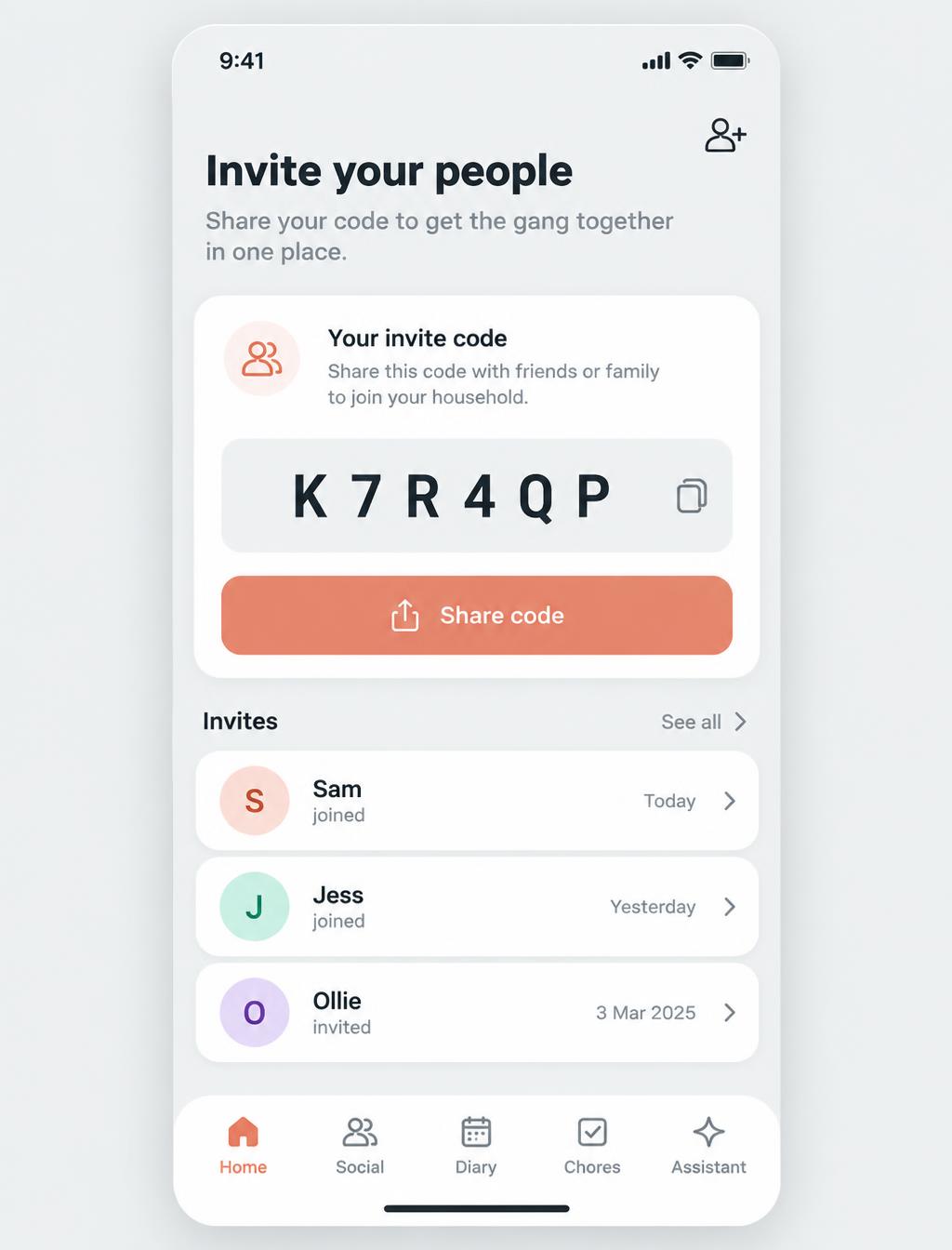
Illustration of the Rookly invite screen on a phone, showing a share code with three people joining the home
  1. 1Create your home and get a short invite code.
  2. 2Share it by message, or read it out across the kitchen table.
  3. 3Everyone joins with their own colour and their own view.
Start your home free
The assistant

Ask in plain words. It does the rest.

Rookly's assistant lives inside your app. Say what you need and it does it: add to the shopping list, set a reminder, plan the weekend, file a document.

No menus. No forms. Just ask, by typing or by voice.

Illustration of a chat with the Rookly assistant, adding milk and bin bags to the shopping list and answering what is on this weekend
Remind Meg the boiler service is Thursday.
Add milk and bin bags to the shopping list.
What are we doing this weekend?
File the tenancy agreement in the Vault.
A social network for households

Social media, but only the people you actually know.

Share photos, videos, polls and plans with other households you invite. Children only ever see and speak to households you have approved. No adverts, no strangers, no algorithm.

  • Posts only from households you approve
  • Children can only contact approved households
  • Plan events together and ask people to bring things
  • No adverts, no strangers, no algorithm
Start your home
Illustration of two phones linked between two houses, each showing the private Rookly family feed with posts, photos and a poll
Connected and clever

Works with your other apps.

Connect your calendar and Rookly does the rest. The AI handles the boring bits, so you do not have to.

Connected

  • Events from Google Calendar and Outlook, in one shared calendar.
  • Addresses saved for pick-ups, practice and appointments.

AI in the details

  • Photograph your cupboard and Rookly turns it into a shopping list.
  • Scan groceries as you unpack, so nothing is missed.
  • Ask what you can cook with what is in the house.
  • Tell the assistant the rest in plain words.

Coming soon

  • Connect your bank, so money tracking updates itself.
  • Events you add in Rookly written back to your own calendar.
  • Save a past shop and refill the list in one tap.
How it works

Set up in under a minute.

1

Create your home

Sign up and name your home. It takes under a minute.

2

Invite your people

Share a code with everyone who lives there. Each person gets their own colour and view.

3

Everything in one place

Calendar, chores, shopping, money and chat, shared from day one.

Start your home free
Pricing

One price per home. Never per person.

Start with 30 days of Pro free. No card needed. Keep Lite free for as long as you like.

Lite

Free

  • Shared calendar, chores and shopping
  • Private household chat
  • Pet care and reminders
  • Everyone in your home included
Start free
Most homes choose

Pro

£3.33 a month

Billed £39.99 a year, or £4.99 monthly. Free for your first 30 days.

  • Everything in Lite
  • Money in full: budgets, pots and bill tracking
  • The whole encrypted Vault
  • Unlimited assistant and connected apps
  • Every palette and personalisation
Start your free 30 days
Questions

Before you sign up.

How much does it cost?+

Every new home gets Pro free for 30 days, no card needed. After that it is £4.99 a month or £39.99 a year for the whole home, or you can stay on the free Lite plan. One price per home, never per person.

Where is my data?+

Encrypted and stored securely, never sold. The Vault goes further: documents are encrypted on your device with your passphrase before they ever leave it.

Does everyone at home need to join?+

No. Rookly is useful on your own from day one. Invite your partner, kids or housemates with a code whenever you are ready, and each person gets their own colour and view.

Who is Rookly for?+

Families first, and it works just as well for couples, housemates or three generations under one roof.

How does the assistant work?+

You message it like a person. Ask it to add to the shopping list, set a reminder, plan the week or file a document, and it does it inside your app.

How does the photo scan work?+

Take a photo of your fridge or cupboard. Rookly reads what it can see and suggests what to buy and what to cook. You confirm before anything is saved.

What can kids see?+

By default, children see chores, the family calendar, contacts and the feed. On the feed they only see and speak to households you have approved. You can change what each child can view.

Can Rookly connect to my bank?+

Not yet. Today you add bills and budgets yourself, and Rookly keeps the maths straight. Bank connection is coming soon.

Get your evenings back.

Set up in under a minute and invite everyone who lives with you. Pro is free for 30 days, then £4.99 a month for the whole home. No card needed to start.

Start your home free